
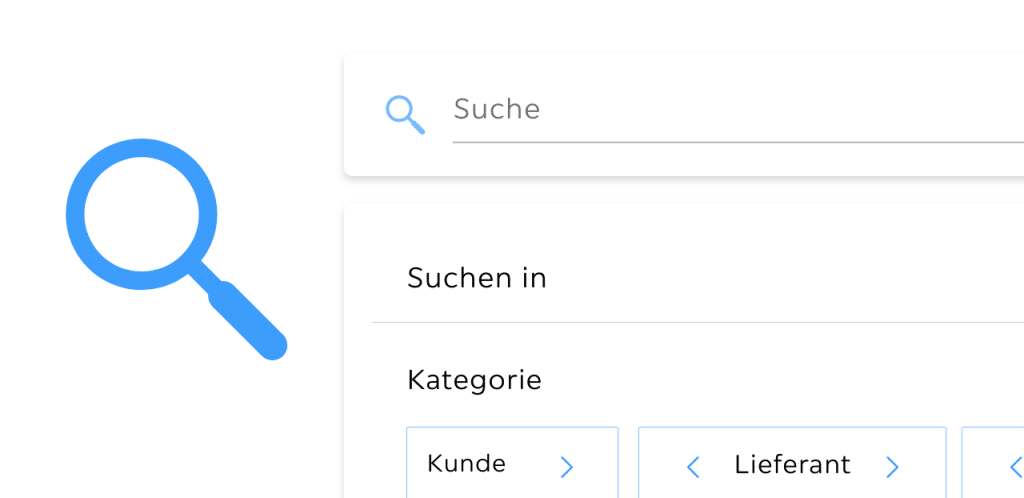
Save up to 80% of Your Time with Troi Lumos
Maybe not quite at the speed of light, but almost – with Troi Lumos you can now navigate through Troi in a matter of seconds.
The new search feature makes it easier, faster, and more precise to find exactly what you’re looking for.
Search across projects, clients, quotes, or documents instantly. With Lumos, we’re bringing even more speed and efficiency into your daily project work – giving you quick access to everything you need, whenever you need it.
Simply type a keyword and get relevant results immediately – no more endless clicking or searching.
Your Benefits with Troi Lumos
- Lightning-fast search: Save up to 80% of your time through intelligent auto-completion and powerful filtering options.
- Direct access: Jump straight to relevant projects, documents, or quotes without detours.
- Intuitive operation: No complex navigation – just type, find, and go. Available anywhere within Troi.
Instant Results with Lumos
Open Lumos directly via the SiteNavi menu or by using the keyboard shortcut Alt + L (or cmd + L on Mac).
Enter a keyword into the search bar, and Lumos immediately displays the matching results from your Troi data.
The built-in auto-complete function suggests matching entries as soon as you start typing – allowing you to find what you need even faster.
Never Search Again – Just Find
To refine your search, various categories are available. You can select specific ones, adjust their order, or hide those you don’t need – ensuring you always find the most relevant results quickly.
Available categories include: Client, Project, Supplier, Contact, Quote, Invoice, Purchase Order, and Project Task.
Your customized selection is saved automatically, so your preferred categories always appear at the top in future searches.
Customers managing multiple clients or business units can also filter results by color-coded tenant selection.
Reaching Your Target in Just One Click
In the search results, all findings are sorted by category – allowing you to jump directly to the desired project, client, or quote within seconds.
For project results, you can also use Quicklinks to access the calculation, quote, billing, or reporting section instantly – saving even more time.
Up to 80% Time Savings with Troi Lumos
Compared to the traditional click path, Lumos can reduce your search time by up to 80%.
Example:
- Traditional process: Search for a project, open it, then navigate to the quote section.
- With Lumos: Search directly via Lumos, click on the quote in the search results – done.
With Lumos, Troi becomes even more powerful – helping you work more efficiently and productively.
Try it out and experience how much easier your daily work can be with this new feature.
Related Posts

AI or Goodbye? Why Your Business Can’t Afford to Ignore Artificial Intelligence
Artificial Intelligence: More Than Just a Buzzword Artificial Intelligence (AI) is no longer science fiction – it’s transforming the [...]
Save Time with Troi Lumos – Up to 80% Faster Navigation
Save up to 80% of Your Time with Troi Lumos Maybe not quite at the speed of light, but [...]
Growth-Oriented Scaling with the Right ERP System
Why ERP Software Is Worth It for Project-Based Companies Introduction: What Is ERP Software? ERP stands for Enterprise Resource [...]