Project Task Management for Professional Services

Organize tasks, responsibilities, and progress clearly across your projects. With Troi, teams collaborate with structure and transparency, so every step from planning to delivery is coordinated and aligned.

  • 80% Budget clarity at a glance
  • 60% less manual work
  • 40% more planning accuracy
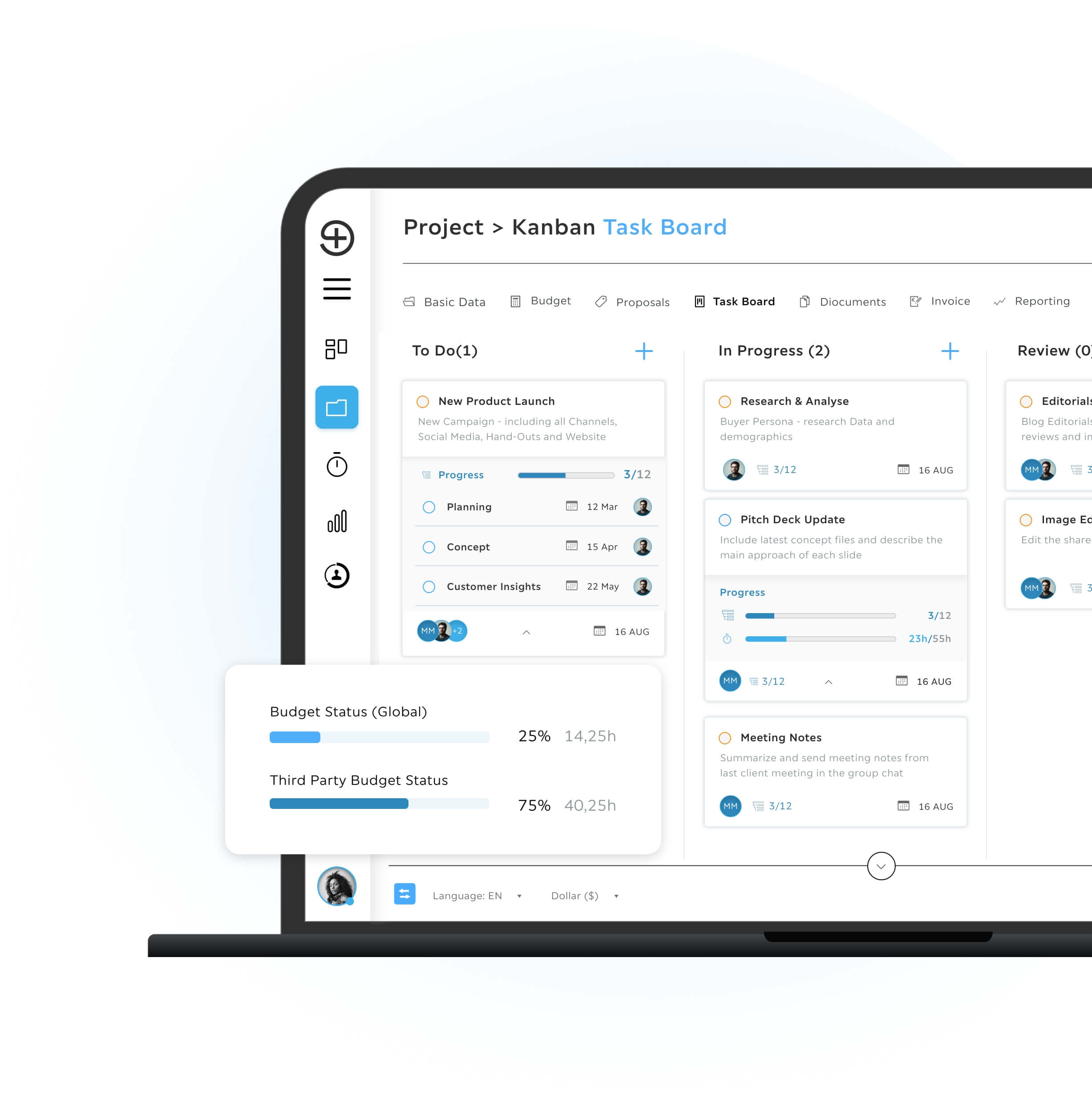
Troi kanban task board showing project tasks in columns for to do, in progress, and review with progress bars, due dates, assigned team avatars, and overall budget status indicators.

Why Task Management Matters in Project-Based Work

Projects involve many people, deadlines, and dependencies. When tasks are unclear or responsibilities are not aligned, work slows down, misunderstandings occur, and results become harder to manage. Troi provides a shared environment where tasks are structured, assigned and tracked in a clear way.

Everyone sees what needs to be done, who is responsible, and how work is progressing, all without extra communication overhead. Structured task management supports smooth collaboration, predictable delivery, and a stable project flow.

Project timeline showing task bars for concept work, landing page design and user testing with allocated hours across calendar weeks

From complexity to clarity

Let’s Talk About Your Goals

Every business works differently and that’s exactly why Troi adapts to you. Tell us about your needs and we’ll show how PSA can support your projects, resources and finances.

Two business professionals sitting in a modern office lounge having a relaxed project discussion

Structured Workflows That Support Your Team

Tasks in Troi are embedded directly in the project context. You assign responsibilities, set priorities, define timelines, and track progress—all in one place. Updates happen instantly where work takes place.

Say goodbye to scattered notes, separate tools, and manual coordination. This keeps communication clear and ensures that every team member always knows what to do next.
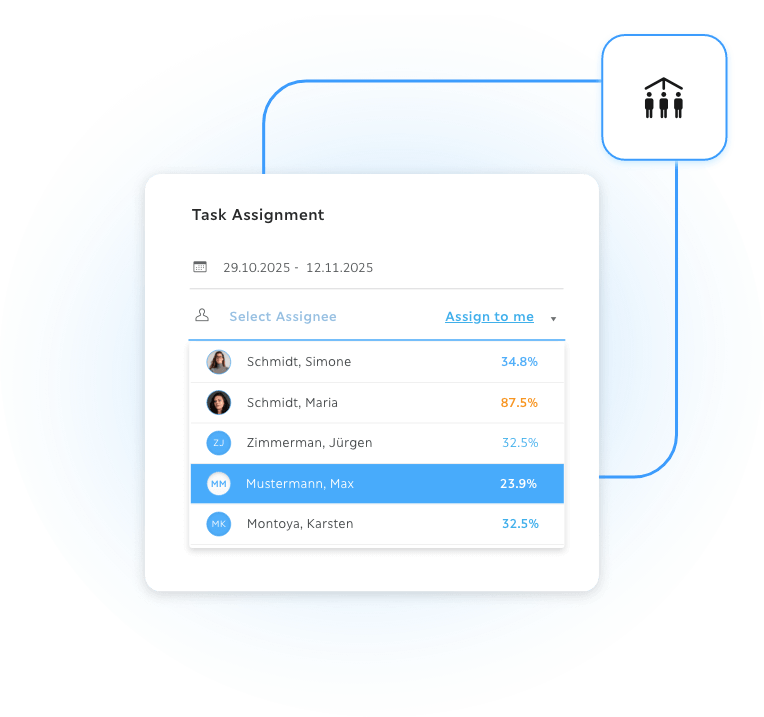
Task assignment interface showing a date range and a list of available team members with profile icons and utilisation percentages, allowing selection of the best suited person based on current workload in Troi.
Person pointing at a project management and time tracking dashboard on a laptop during a team meeting

Stay Ahead with Troi Updates

Be the first to hear about new features, product improvements and upcoming webinars. Our newsletter keeps you informed about everything that helps you work smarter with your PSA platform.

Plan, Control and Optimize
in One System

Troi connects task management with budgeting, resources, time tracking, and controlling—so planning and execution stay perfectly aligned.
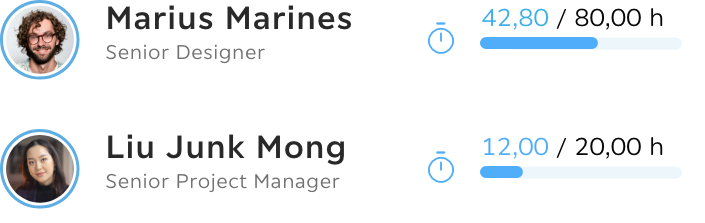
UI card showing two team members with profile photos, roles and workload bars displaying current booked hours versus available capacity for project planning and resource management in Troi.

Integrated Planning

Tasks are linked to project phases, priorities, and responsibilities. Everyone works with the same information and stays aligned.
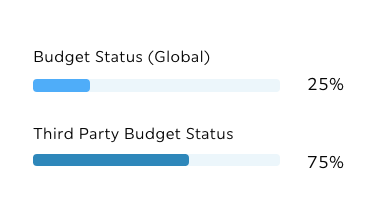
Budget status overview in Troi showing global budget usage at 25 percent and third party budget usage at 75 percent with horizontal progress bars for quick comparison.

Real-Time Visibility

Progress is visible at any time. Teams and project leads see where work stands without additional reports.

Project timeline showing task bars for concept work, landing page design and user testing with allocated hours across calendar weeks

Clear Responsibilities

Roles and ownership are defined directly in the task. Work becomes transparent and easy to coordinate.
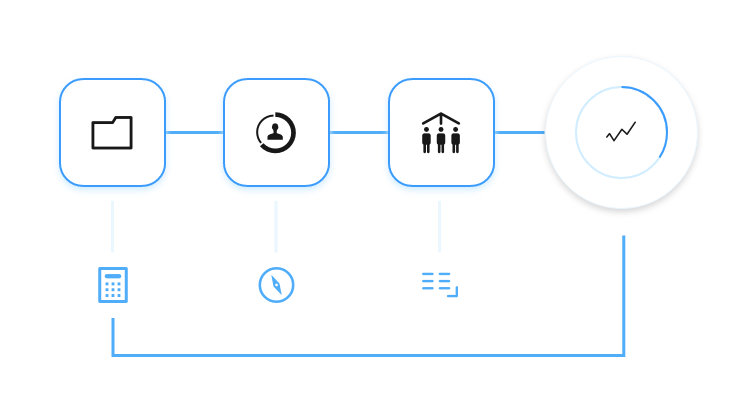
Workflow diagram showing connected modules for documents, user profiles, team management, and performance analytics, linked by a blue process line with supporting icons for calculations, approvals, and data flow.

Continuous Improvement

Insights from ongoing and past projects help teams refine workflows and collaboration patterns over time

Key Benefits at a Glance

With Troi, Task Management becomes the central hub for structured project execution. It drives transparency, coordination, and clarity across teams and projects within your PSA system.

When tasks are structured and linked to projects, teams gain efficiency, project leads see clear progress, and delivery becomes more predictable.
  • Higher Clarity: Instantly see what needs to be done, by whom, and when.

  • Optimized Workload Balance: Plan tasks based on real resource capacity to prevent overload.

  • Predictable Delivery: Keep project schedules stable by accurately tracking task progress against milestones.

  • Clear Responsibilities: Define ownership directly in the task to eliminate confusion and bottlenecks.

  • Reduced Admin Effort: Eliminate scattered notes and separate tools by managing all coordination in one place.

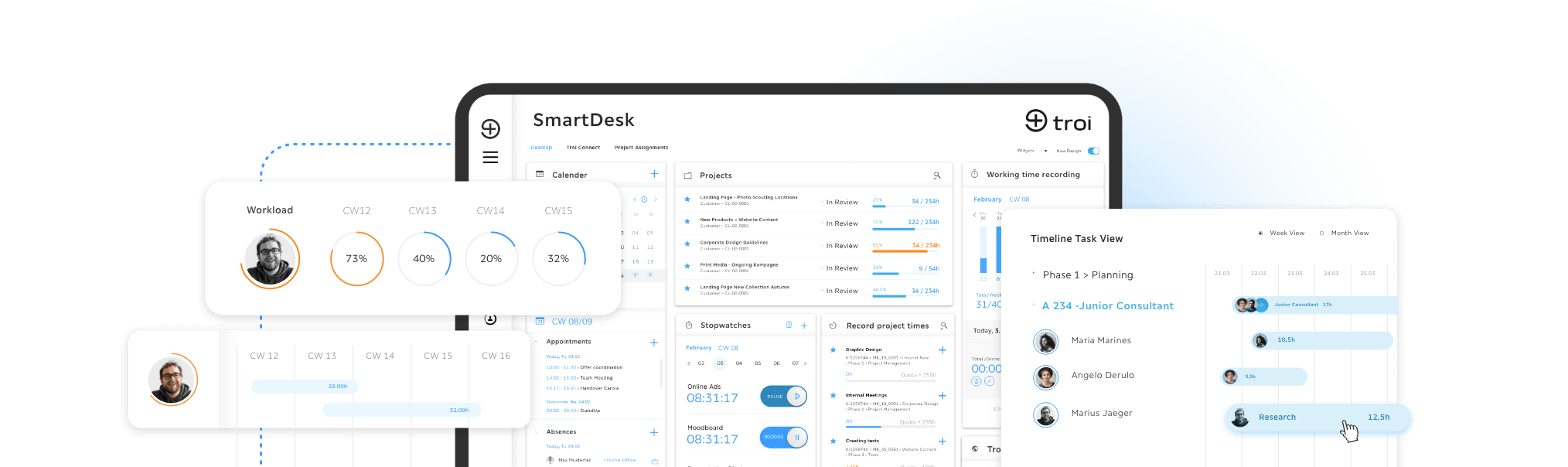
SmartDesk dashboard showing workload, calendar, active projects, time tracking, and a timeline task view with scheduled tasks and team capacity.

Task Management – FAQs

Tasks are structured within project phases and assigned to responsible team members. Priorities and schedules can be adjusted at any time to reflect changing project demands.
Yes. Progress updates are visible immediately (real-time visibility), allowing teams and project leads to see where work stands without extra communication or manual reporting.
Yes. Attachments, notes, checklists, and discussions can be stored directly in the task, ensuring all relevant information is easy to find and centralized.
Troi provides a shared, centralized task workspace that works equally well for on-site, remote, and distributed teams, ensuring smooth collaboration everywhere.
Yes. Task work, tracked time, and budgets are linked in a single integrated system, ensuring full transparency and accurate project evaluation.

More Features for Complete Project Control

The Troi PSA platform connects all key functions you need for smooth project management, from time tracking and task planning to controlling and reporting. Each module builds on the same data foundation, ensuring that every figure, approval, and report reflects your real project performance.
Resource Planning

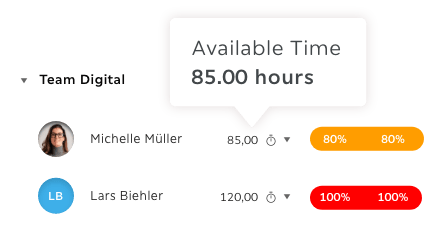
Troi team resource view showing available time of 85 hours and workload percentages for digital team members

Reporting & Controlling

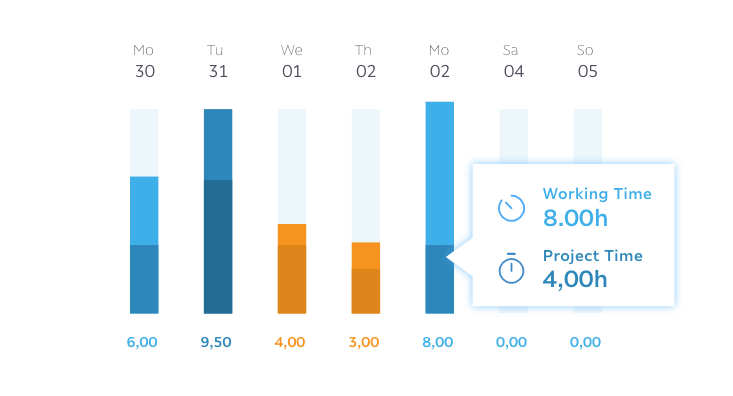
Weekly time tracking chart showing daily working hours and project time with a tooltip displaying 8 hours working time and 4 hours project time

Budgeting & Estimation

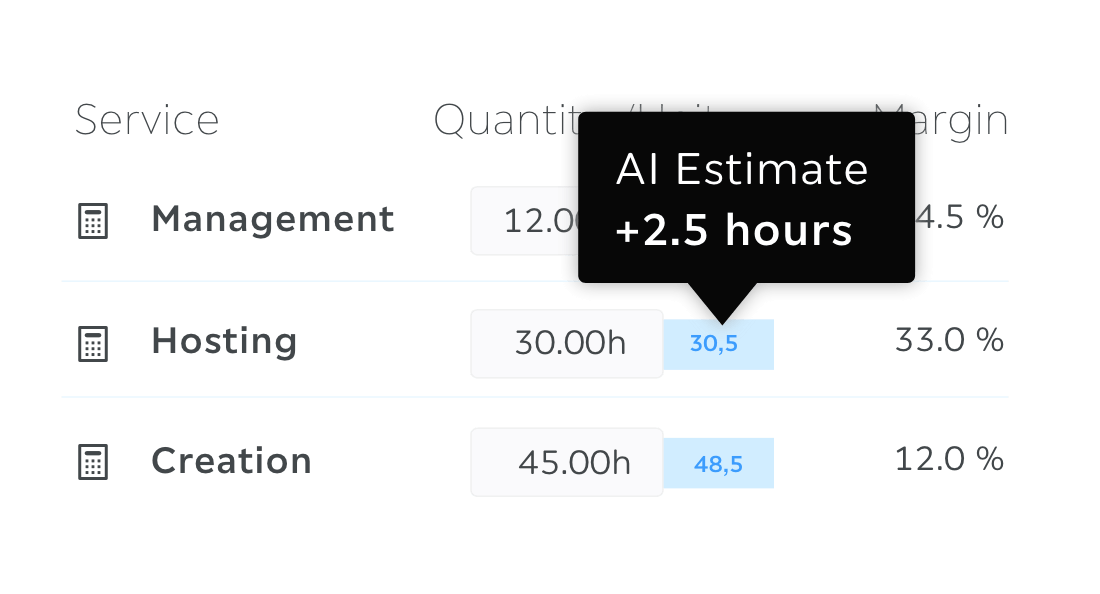
Service list with quantities and an AI estimate tooltip adding two point five hours to planned effort

Time Tracking

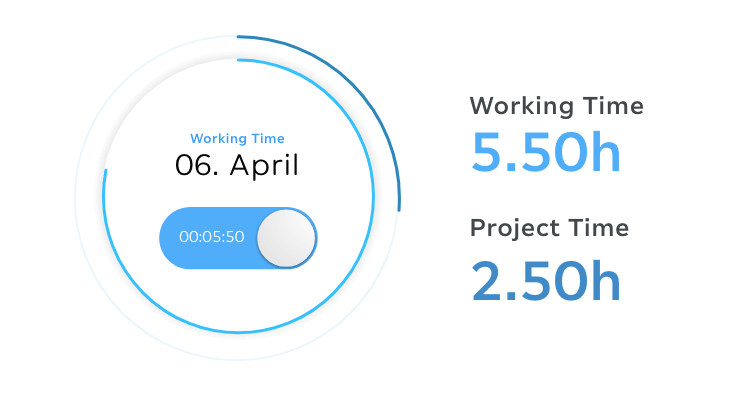
Time tracking widget showing working time on April 6 with 5.50 hours logged and 2.50 hours assigned to project work

Digital Document Capture

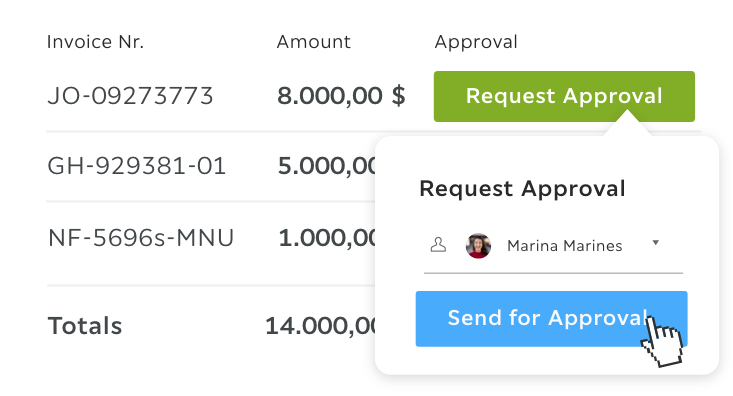
Invoice approval panel showing invoice numbers, totals, and a Send for Approval action with selected approver.

Integration & API

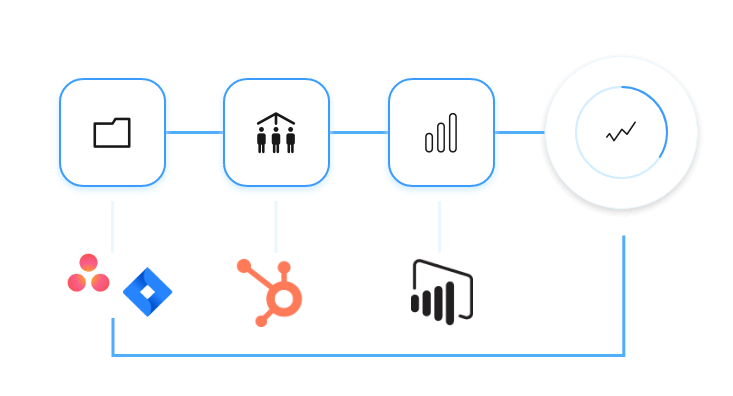
Workflow diagram with connected modules for files, teams, analytics, and performance, plus integrations with Asana, Bexio, HubSpot, and Power BI feeding into a central dashboard.

Trusted by Leading Consultancies, Agencies and Creative Businesses

Logo of VML, Troi customer
Logo of Yoove, Troi customer
Logo of BBDO, Troi customer
Logo of NEUBLCK, Troi customer
Logo of HIRSCHTEC, Troi customer
Logo of move:elevator, Troi customer
Logo of Vogelsänger Studios, Troi customer
Logo of pixelart, Troi customer
Logo of Dojo, Troi customer
Logo of Martin et Karczinski, Troi customer
Logo of consense, Troi customer
Logo of Bernstein, Troi customer
Portrait of Stefan Mauerer, Troi customer

“What’s great is that we were able to fully tailor Troi to our specific needs. With Troi, we’ve developed and established standards that support us in our daily work — allowing us to focus entirely on what really matters: our core business.”

Stefan Mauerer, Martin et Karczinski
Portrait of Ralf Vockel, Troi customer

“In our business, smooth coordination is key. Troi has helped us digitalize and optimize our workflows, ensuring seamless project management — from the initial project brief to the final delivery of our productions.”

Ralf Vockel, Vogelsänger Studios
Portrait of Rainer Chabrie, Troi customer

“With Troi, we were not only able to redefine our project controlling to capture key metrics more efficiently — we also significantly increased the speed at which projects are processed through a standardized project and approval workflow.”

Rainer Chabrie, BBDO