

troi

Digital Receipt Capture

Compare both generations

Receipt capture

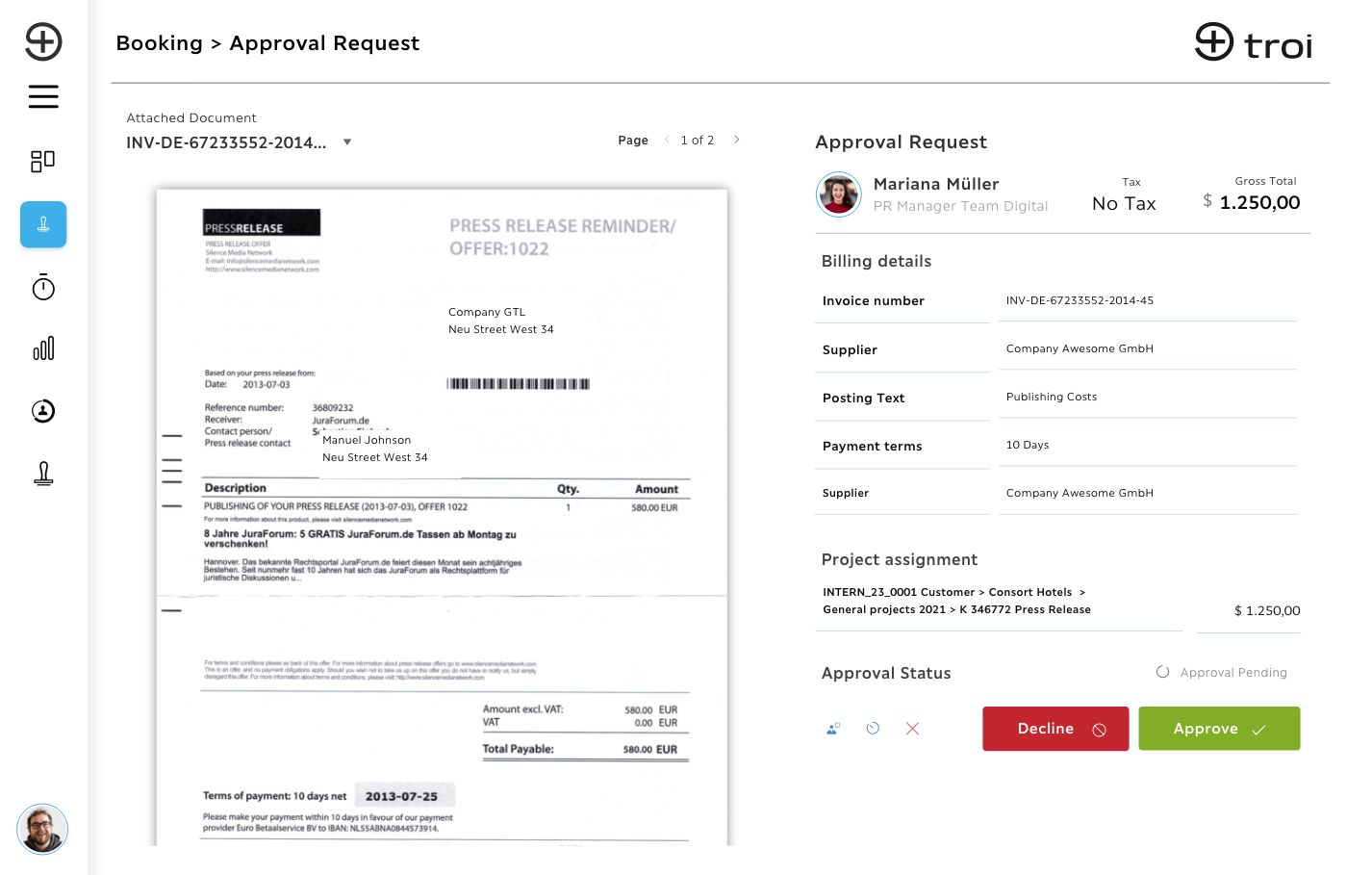
Receipt capture, with the project already on it

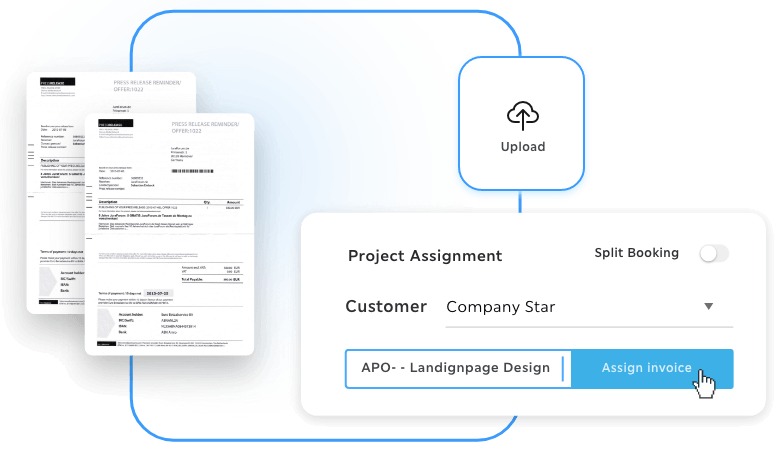
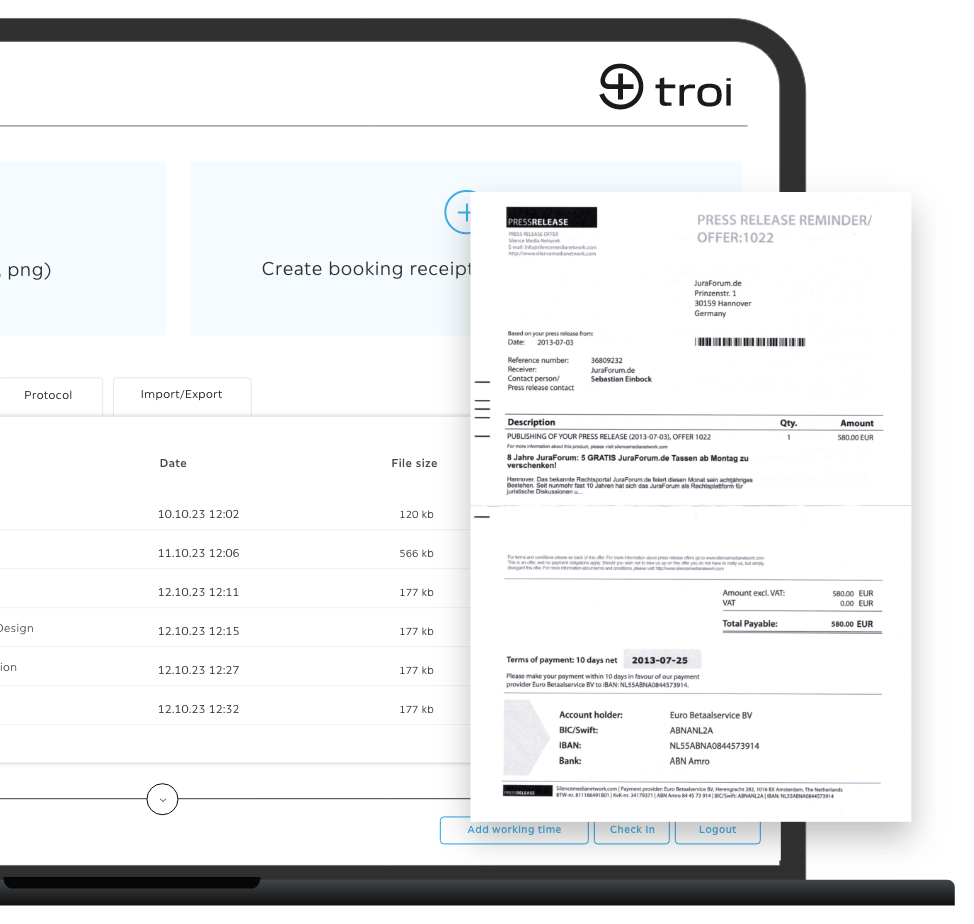
Upload the receipt in the browser, file it against the right cost item, and carry it into the export.

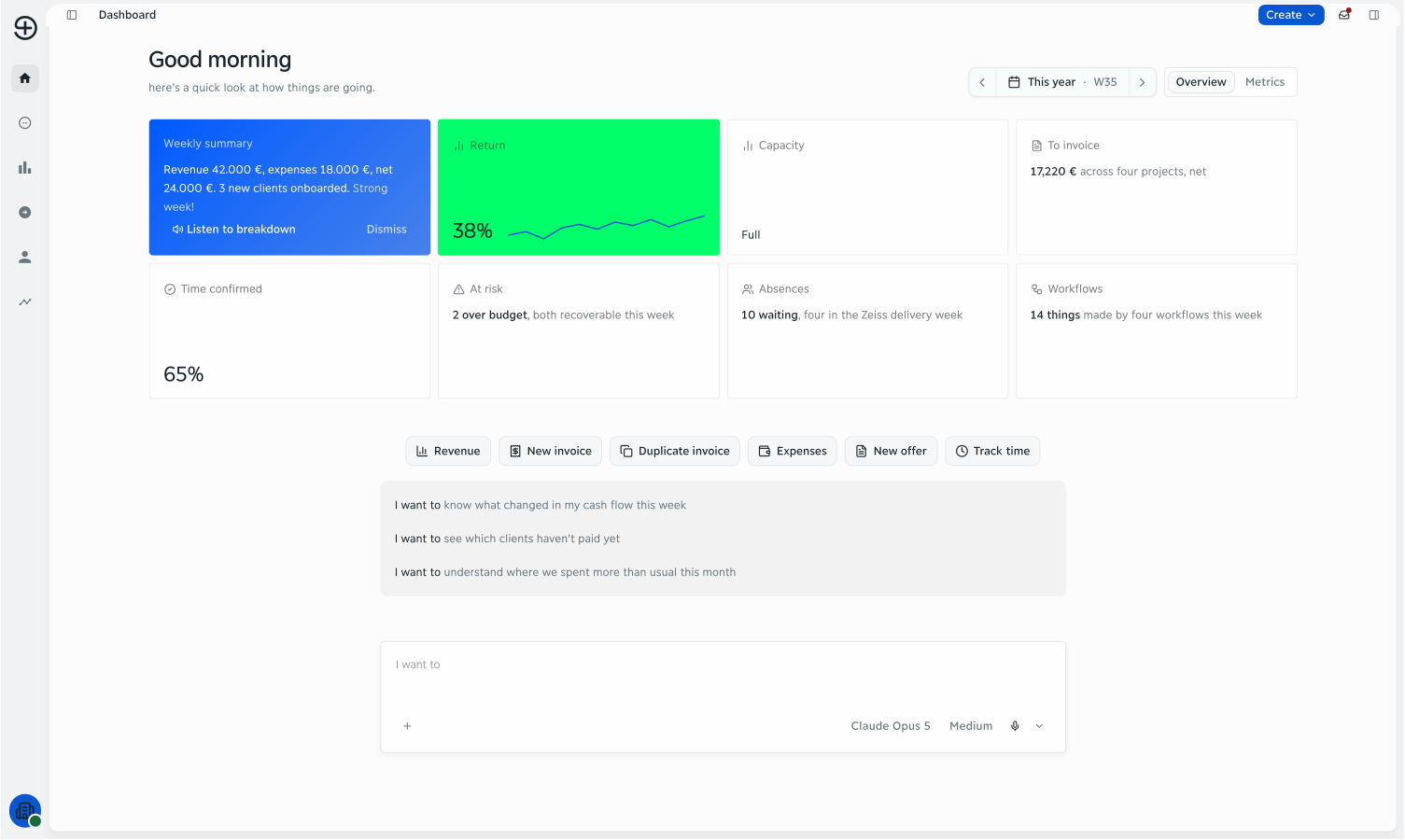
The troi dashboard in the morning: the week's revenue, expenses and net, the amount still to invoice across four projects, and quick actions for a new invoice and for expenses

Every receipt, with its project attached

You upload receipts in the browser, by drag and drop or from a folder, and file them against the right cost item. Each receipt keeps its document, its amount and its status, so the month closes without a shoebox of paper. Receipt capture is part of the Intelligence plan.

The assignment happens at capture, not weeks later, so the cost shows up in reporting and controlling on the right project. This requires project structures, which are part of the Performance plan.

Each receipt keeps its file, its amount and its status, so nothing has to be found again at month-end. Part of the Intelligence plan.

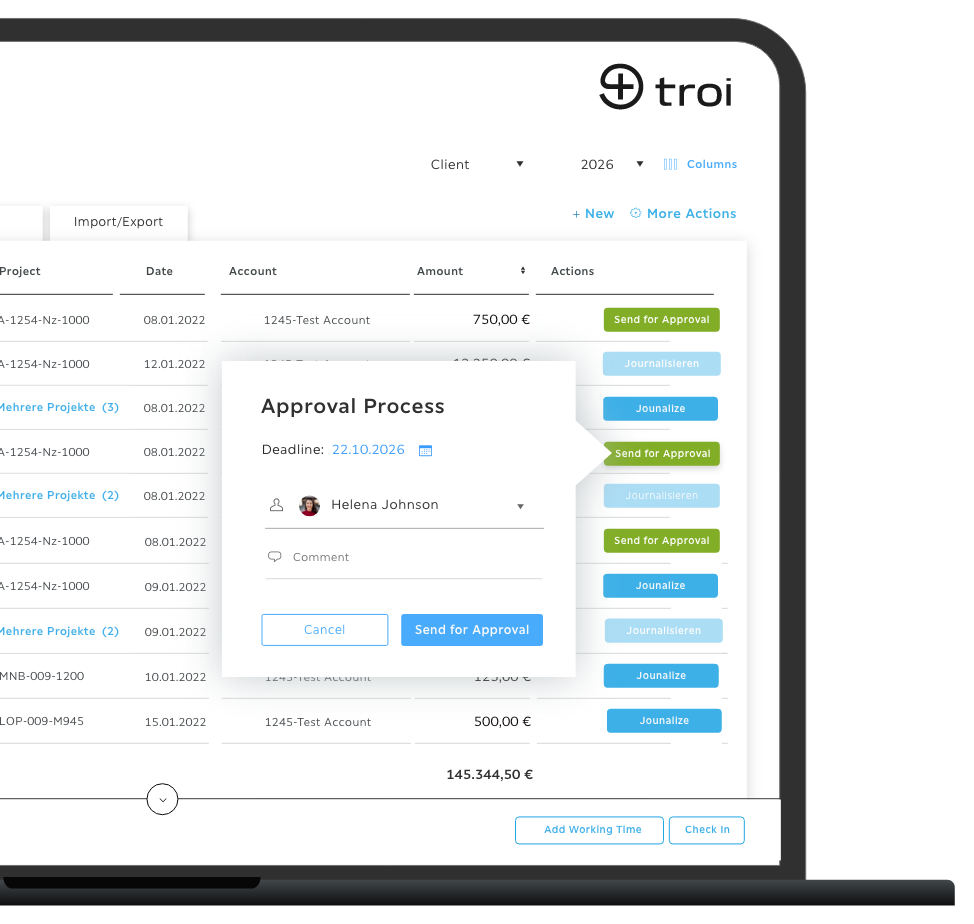
Pre-coded and exported for DATEV in one step, including DATEV Unternehmen Online. Part of the Intelligence plan.

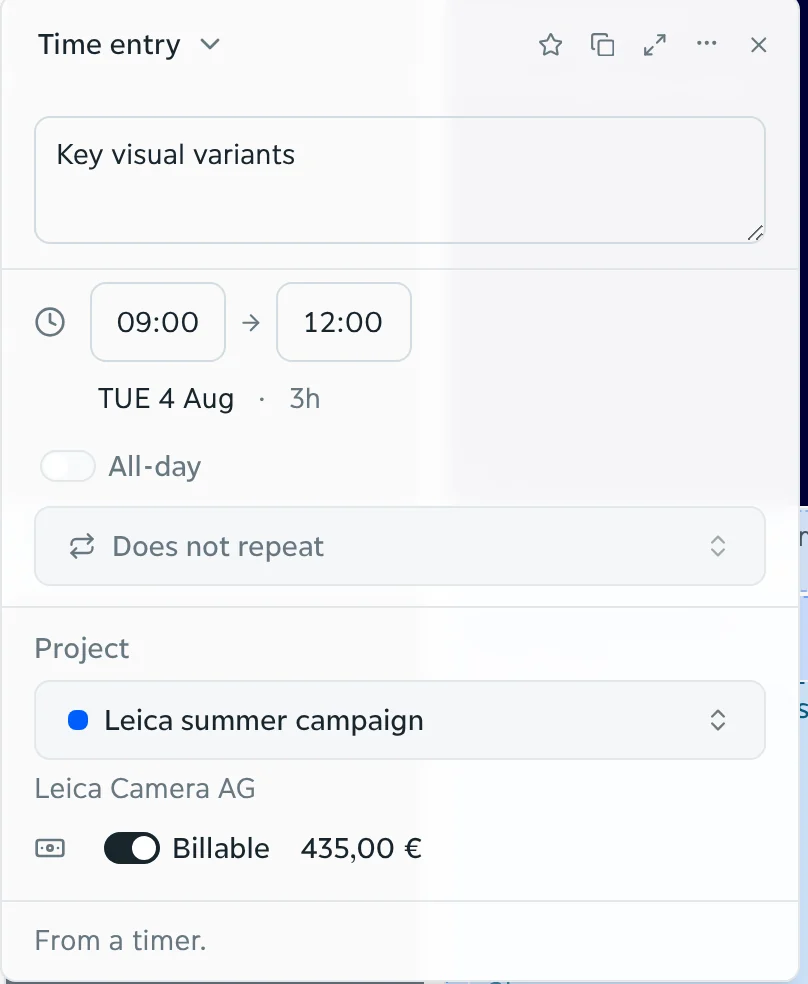
An entry in troi assigned to a client's summer campaign, marked billable at 435.00 euros
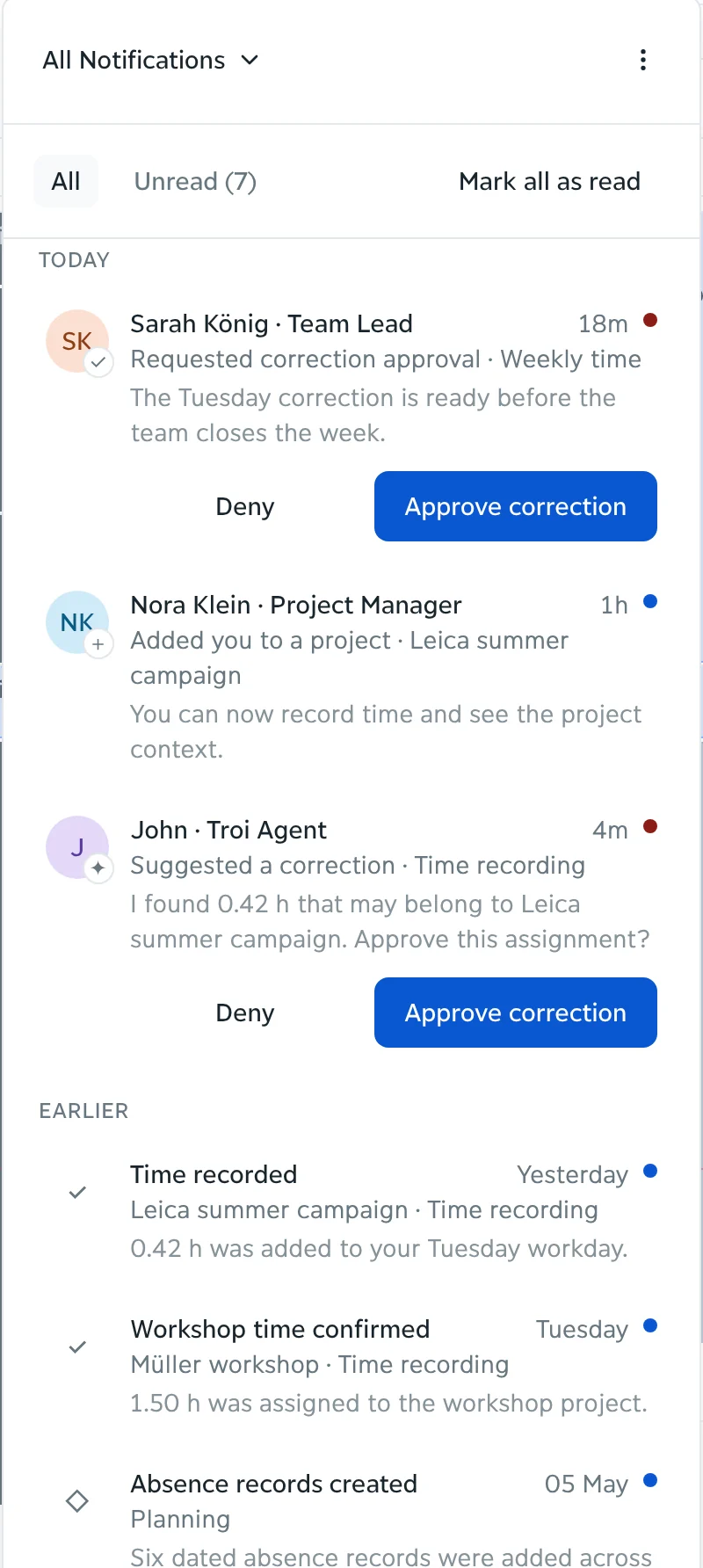
The inbox in troi: a correction waiting for a team lead's approval and a suggestion from the troi agent, each with Approve and Deny
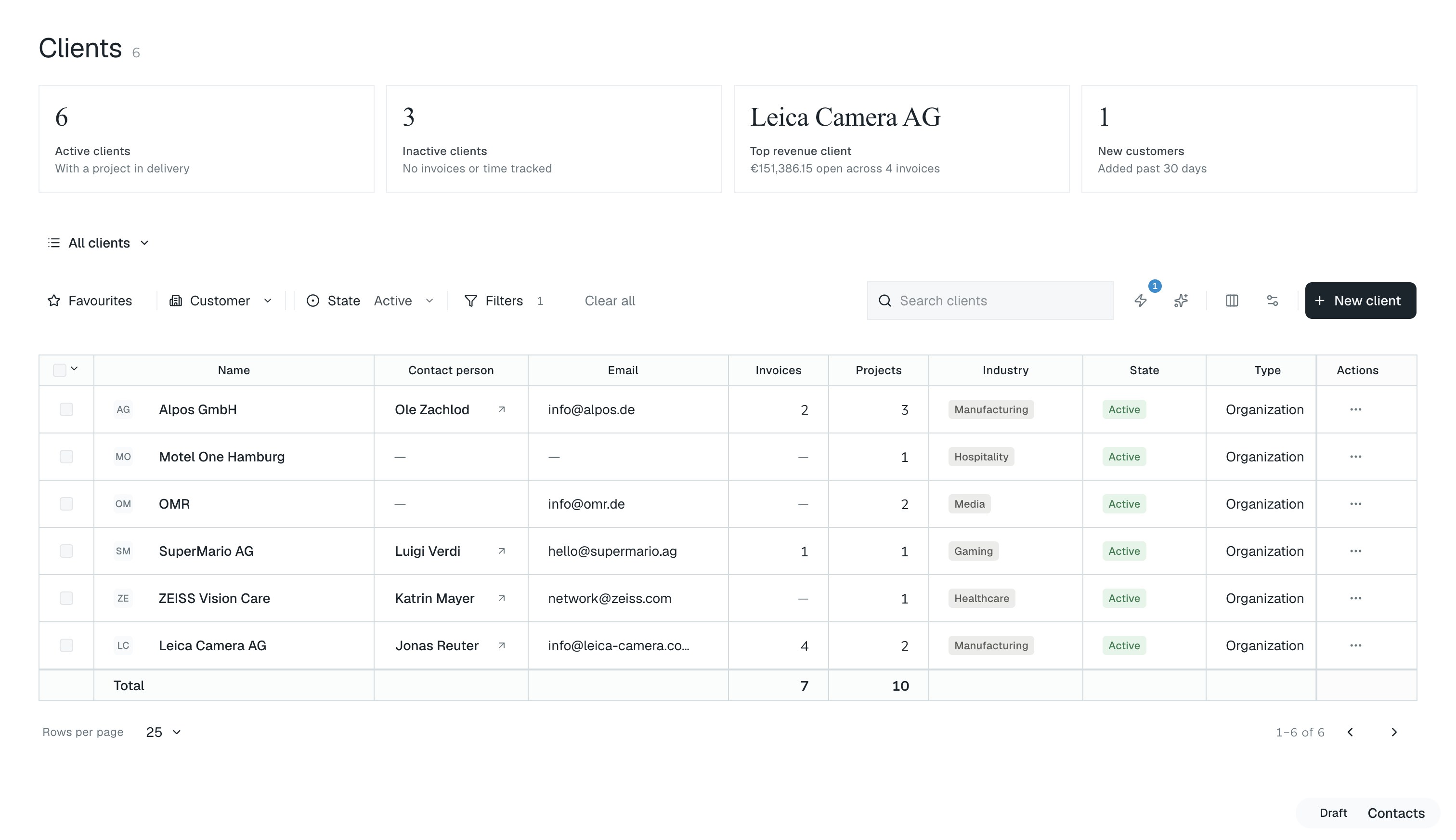
The client list in troi: six active clients, the top revenue client, and a table of clients with contact person, email, invoices, projects, industry and state

In the product

From the receipt to the tax advisor

Capture and assign

Upload one file or several in the browser and file each receipt against the right cost item. Receipt capture is part of the Intelligence plan, filing against a project requires the Performance plan.

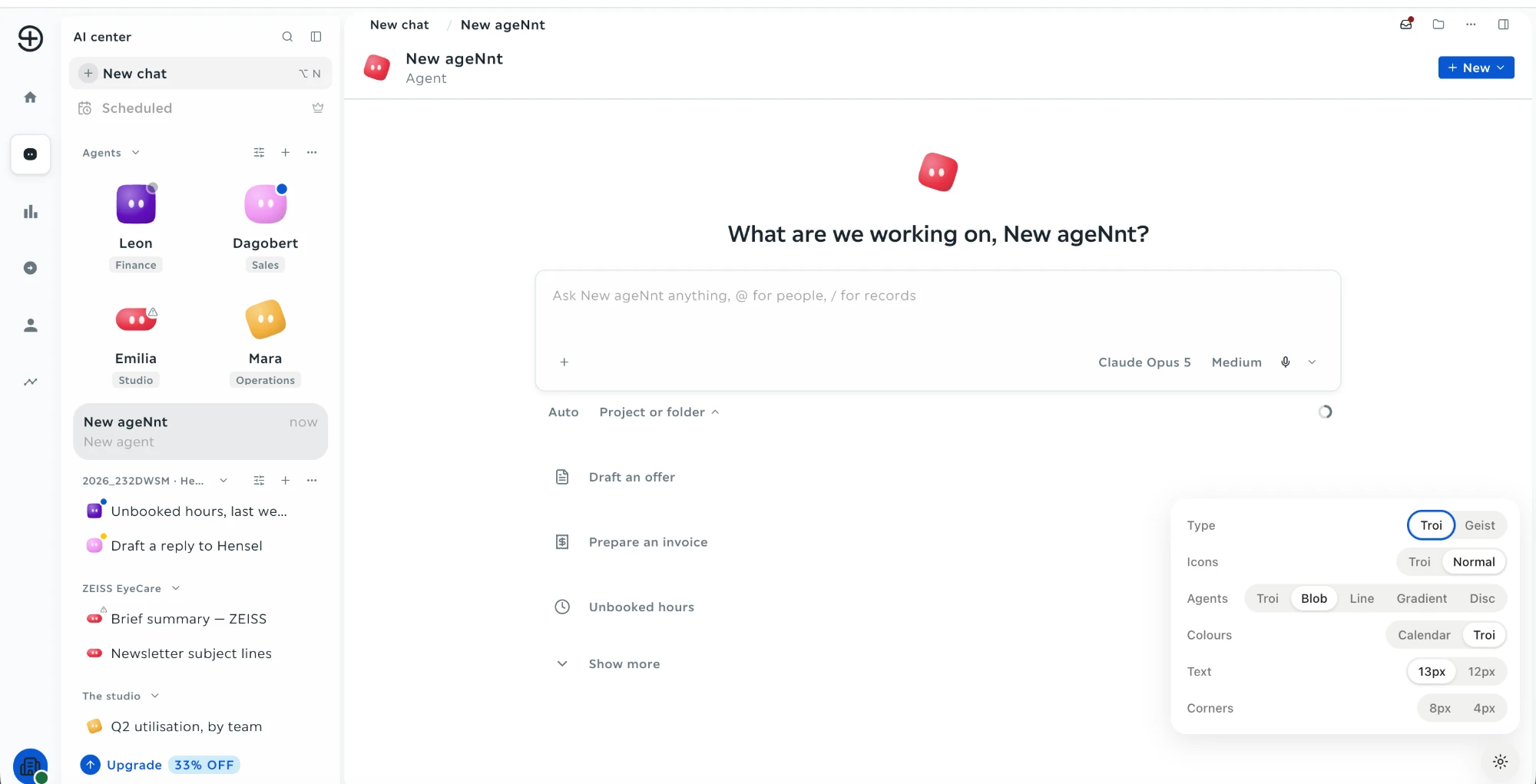
The AI center in troi: a field to write or dictate with a button to attach a file, and suggestions to draft an offer, prepare an invoice or find unbooked hours

Export to accounting

Pre-coded incoming and outgoing invoices export in one step, including for DATEV Unternehmen Online. Part of the Intelligence plan.

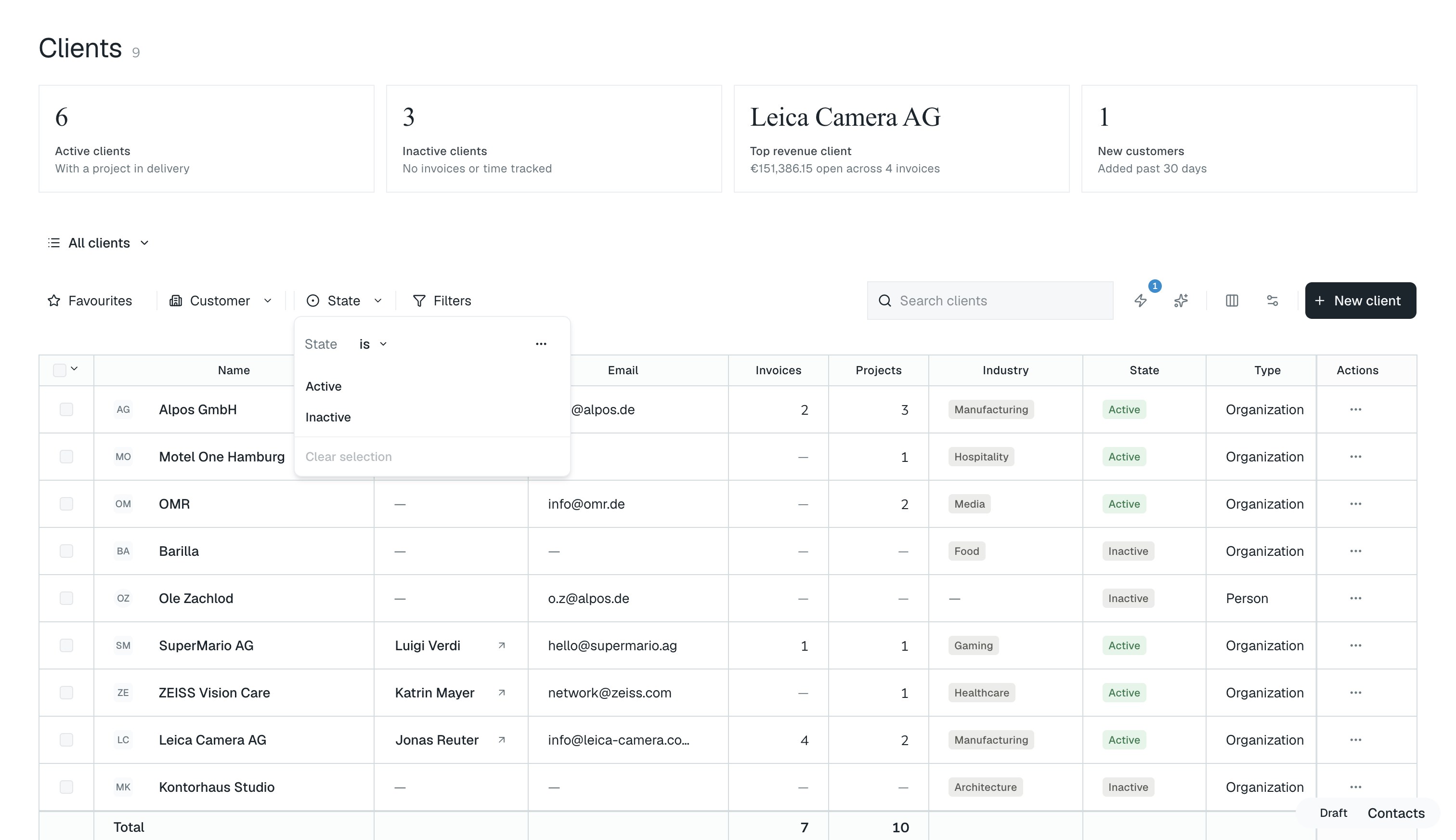
The clients in troi filtered by state, the filter open with active and inactive, above the list of clients with their invoices and projects

An example

The receipt that reached the project

  1. Uploaded the same day. The retouching studio’s €1,200 invoice is dropped into the browser the day it arrives.
  2. Filed against the campaign. It goes onto the Arnveld summer campaign as a billable third-party cost that project estimation had priced in. Filing against a project requires the Performance plan.
  3. In this week’s figures. The cost sits next to the hours on the same project that week, not at month-end.
  4. Exported for DATEV. At month-end it leaves pre-coded for DATEV with the rest of the month. Part of the Intelligence plan.

Receipts in week 33

The shadows of four people on a sunlit wall, the nearest in a cap looking at a phone

Capture the receipt where it happens, not at month-end

troi ai·on takes the receipt in the browser and files it against the right cost item, so the cost is on the project before the month closes. Upload one file or several, and the receipt leaves pre-coded for DATEV. Receipt capture and the DATEV export are part of the Intelligence plan, filing against a project requires the Performance plan.

Discover troi ai·on

How it works

Every cost reaches the project, not just the ledger

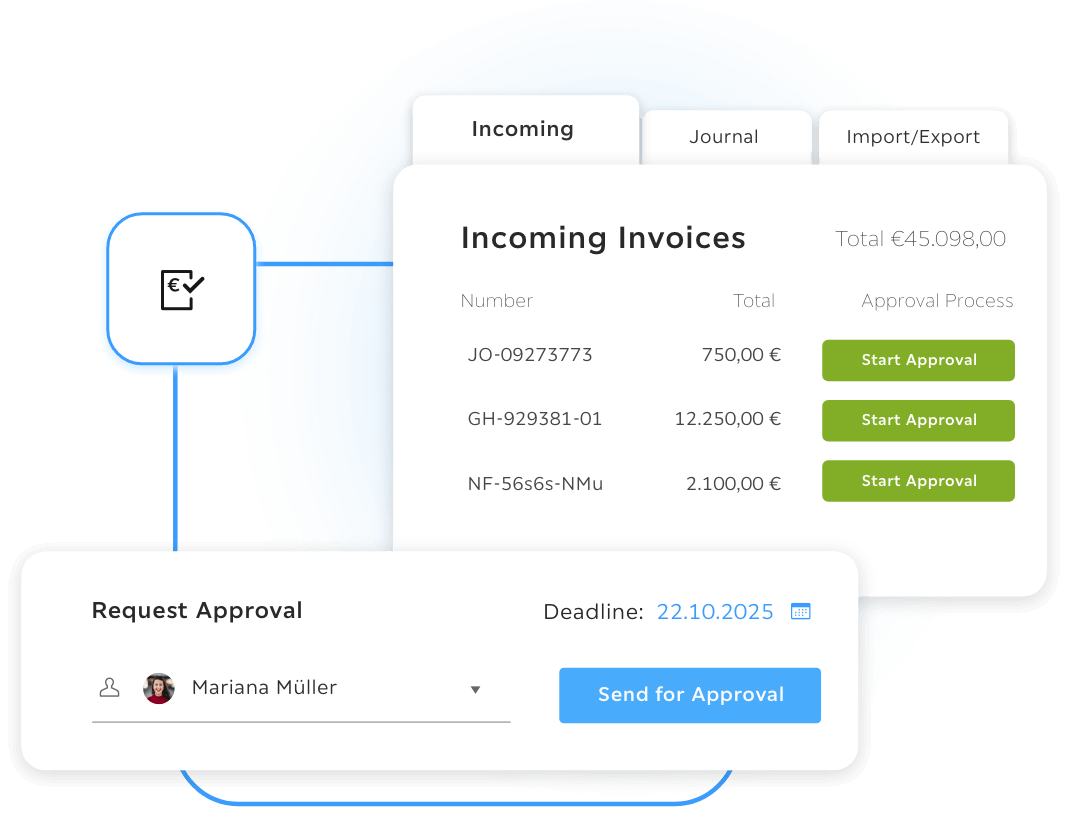
The receipt is captured when it arrives, assigned to the project it belongs to and handed to accounting already coded. The assignment is made at capture and can still be changed later. Incoming and outgoing invoices leave for DATEV, including DATEV Unternehmen Online, and the booking journal keeps the full history of every receipt.

Drop it into the browser

Upload one file or several as a single group, by drag and drop or from a folder. Receipt capture is part of the Intelligence plan.

Seen from above, two people with cups of coffee at a wooden table, a French press and a phone between them

You assign it

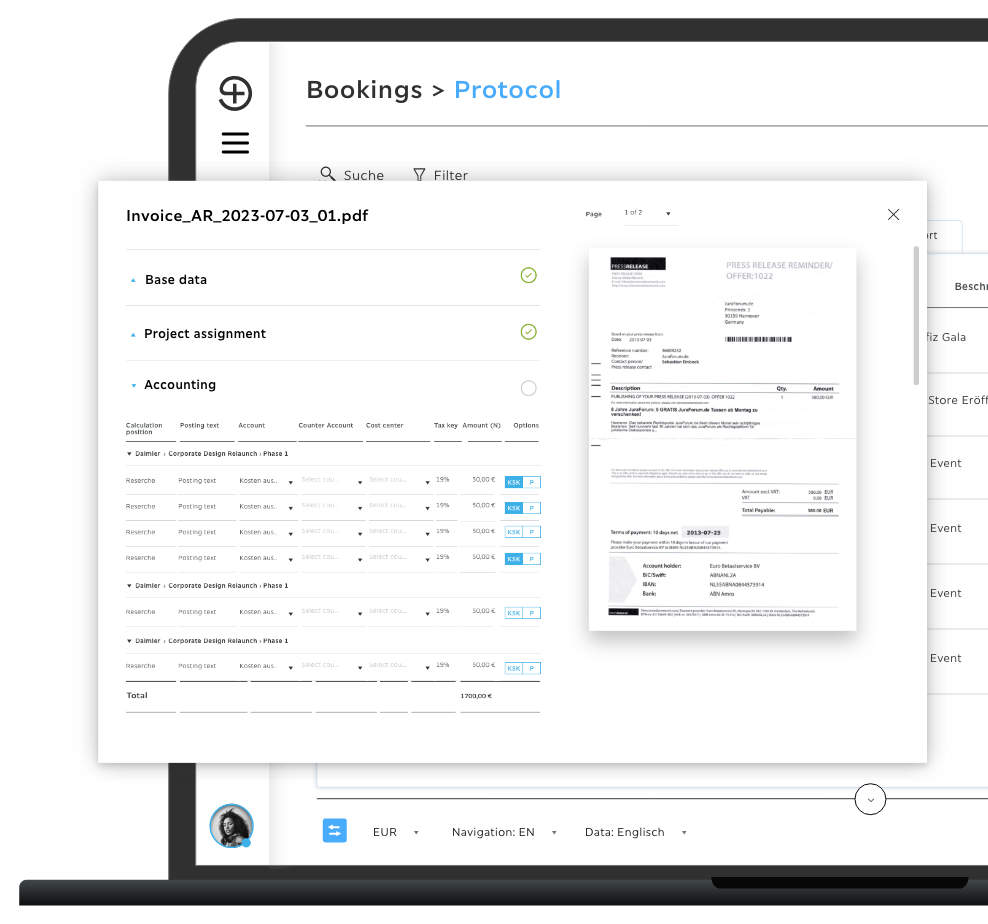
Project, sub-project, cost center and entry position. Filing against a project requires the Performance plan.

troi hands it to accounting

Pre-coded and exported in a DATEV-compatible format, with the booking journal keeping the full history. Part of the Intelligence plan.

The platform

Every part of it

Start where you stand. Grow when you're ready

Core is available now, from €9.95 a month. Intelligence, Performance and Enterprise follow, each with everything before it.

See pricing

FAQs

What is digital receipt capture?

Capturing a receipt digitally at the moment it occurs and assigning it to a project, cost center and entry position right away. In troi that happens by drag and drop in the browser, so the receipt reaches accounting already coded. In troi ai·on, receipt capture is part of the Intelligence plan, filing against a project requires the Performance plan.

How does a receipt reach the right project?

The assignment is made at capture, in the project assignment section, and it can still be changed later. The receipt list shows which project each one sits on. This requires the Performance plan.

How does the export to the tax advisor work?

Incoming and outgoing invoices are pre-coded and exported in a DATEV-compatible format in one step, including for DATEV Unternehmen Online. Part of the Intelligence plan.

What is the difference between troi five and troi ai·on in receipt capture?

In troi five the receipt is captured, assigned and coded by hand. In troi ai·on the same records can be questioned in a sentence, by text or by voice, so a cost can be traced without building a report first.

Build the way you work best

Your company already creates the experience.

Request a demo