
The tasks come from the quote
Quote items become tasks with one click, their calculated hours included. The effort can be changed later, unless the task is linked to a calculation item that needs manual release.

Functions in troi ai·onFunctions in troi five
Time TrackingProject EstimationTask ManagementResource PlanningReporting & ControllingDigital Receipt CaptureIntegrations & APIsProduct overviewTask management
troi turns quote items into tasks with one click, their hours included, and recorded time runs against the planned effort. The task management described on this page is part of troi five.
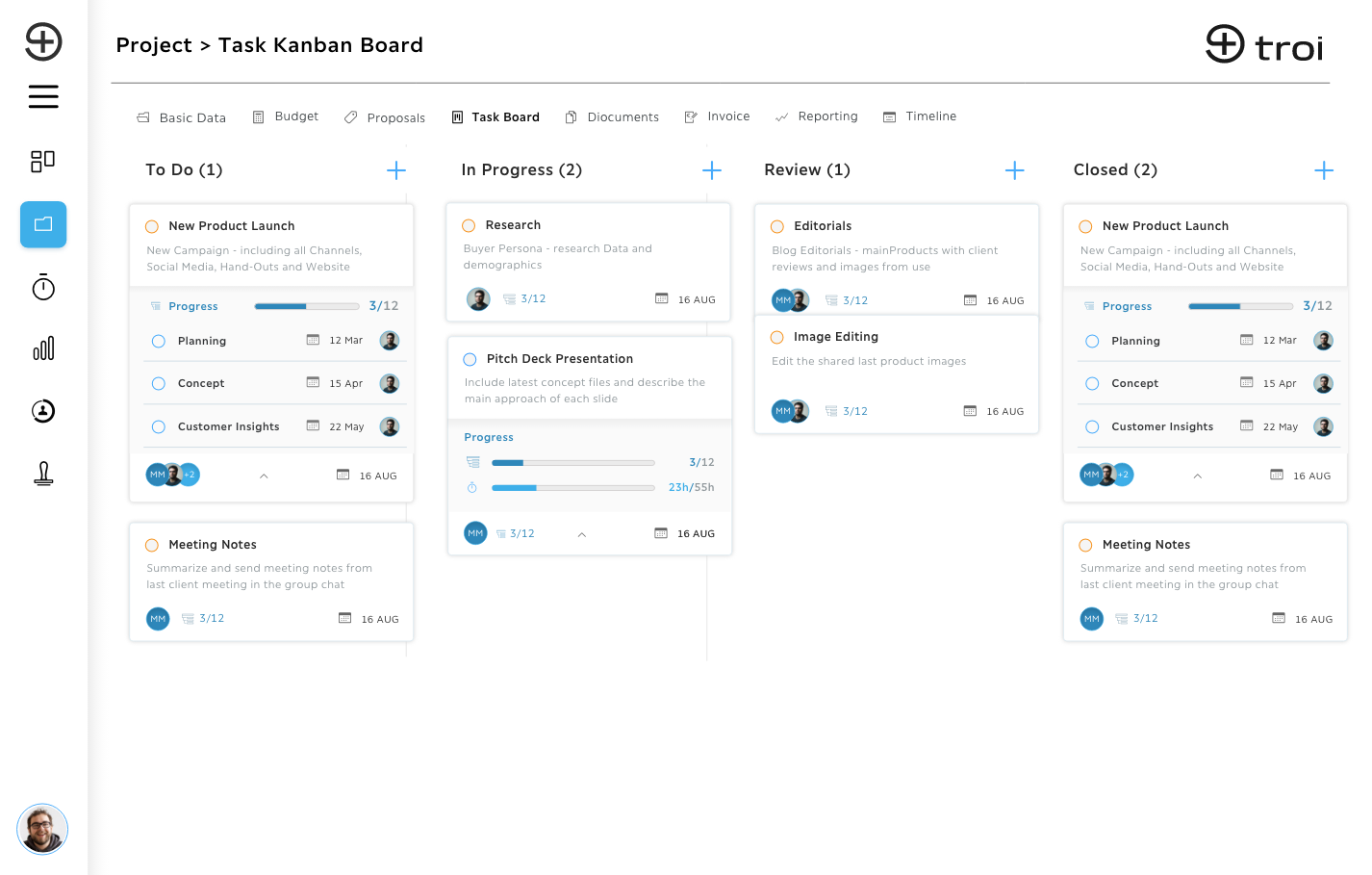
Quote items become tasks with their hours, broken down into subtasks where the work needs it. The team works in a list, on a Kanban board or on the timeline, sees who has room before assigning, and recorded time runs against the planned effort.
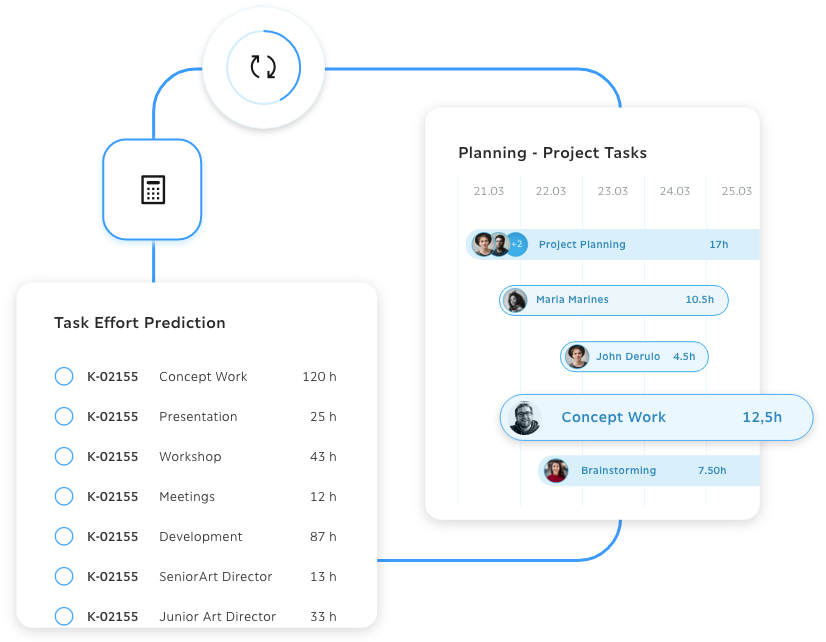
Quote items become project tasks with one click, with the effort from project estimation on them. The hours stay with the task, and nothing is copied over by hand.
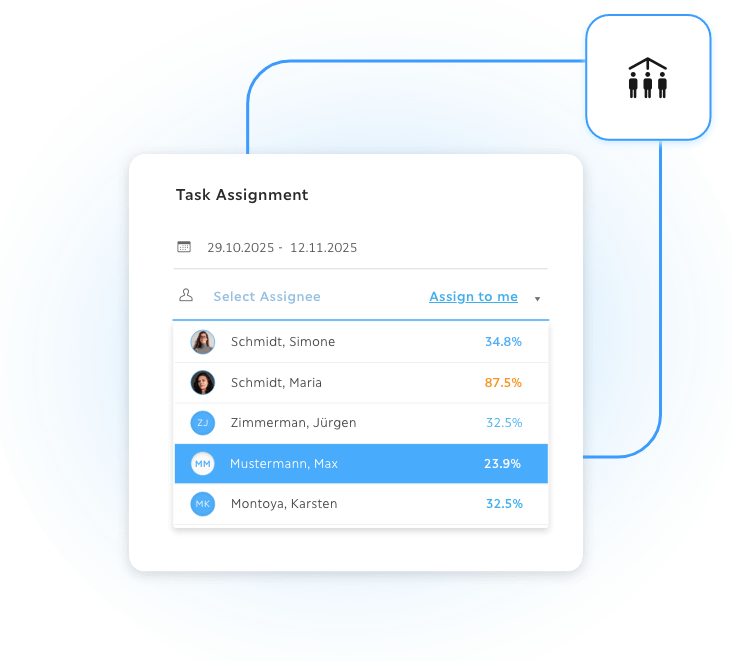
Utilization, available hours and absences show right where tasks are created and assigned. Overbooking is marked in colour, and resource planning has the full picture.
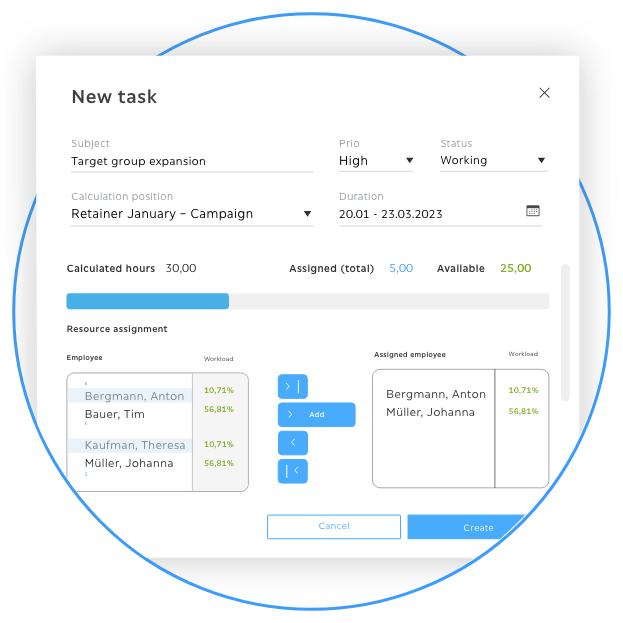
A task carries a time window and a volume of work for each person on it, so everyone's share of the work sits in the right calendar weeks.
In the product
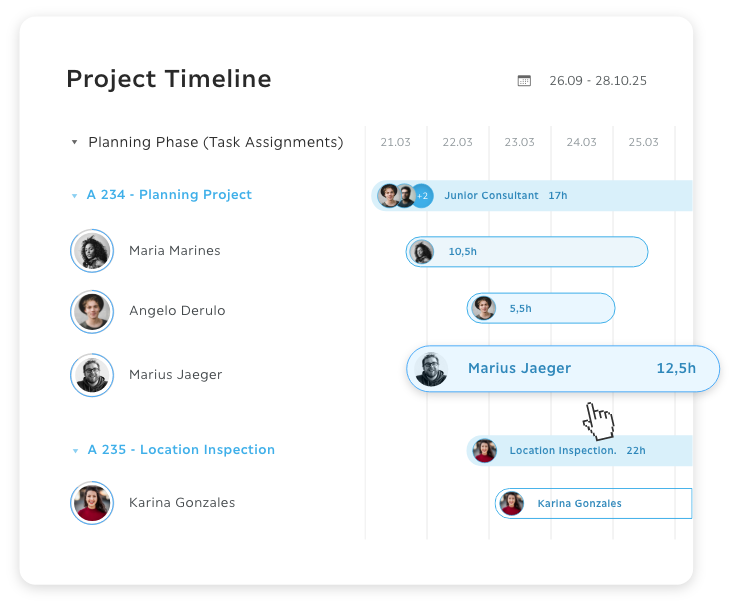
The timeline shows every task and its effort on one time axis, where dependencies exist and whether the schedule holds. Switch between week and month at any time.
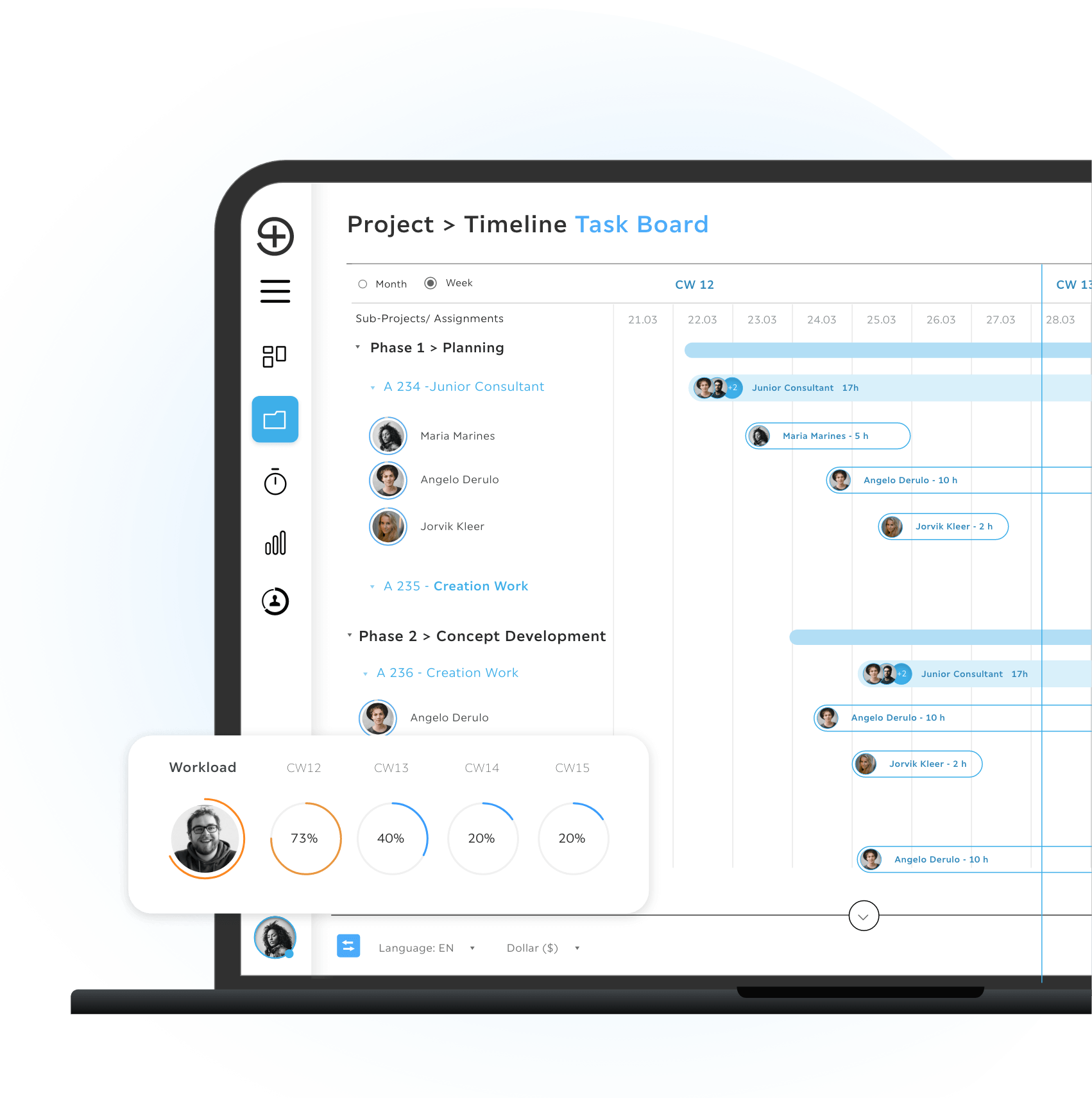
A task can go to several people at once, each with their own time window and volume. It stays linked to its calculation item, so the calculated hours come with it.

troi keeps the task, its hours and its conversation in the same record, from the quote to the invoice. Comments and attachments sit in the task itself, recorded hours from time tracking book against it, and the remaining estimate sits next to the planned hours, so the gap shows before the phase ends.
Request a demoHow it works
Tasks start with the hours from the quote, take the hours as they are recorded and show any gap between plan and actual right away. Quote items become tasks with one click, the team works in a list, on a Kanban board or on the timeline, and the remaining estimate sits next to the planned hours.
Quote items become tasks with one click, their calculated hours included. The effort can be changed later, unless the task is linked to a calculation item that needs manual release.
List, Kanban board or timeline, with comments and attachments in the task itself.
Recorded hours from time tracking book against the task, and the remaining estimate sits next to the planned hours.
troi five is licensed per user: Teams at €19 and Professional at €49 per user per month, excl. VAT. Enterprise on request.
See pricingSoftware that plans, assigns and tracks the work of a project, with each task carrying its owner, its schedule and the effort planned for it. In troi the task also carries the hours from the quote, so planned and recorded effort sit in the same record.
Yes, with one click: quote items, with the effort stored on them, become project tasks. The hours are kept and can be assigned to team members right away, without copying anything by hand.
Yes. A task can go to several people at once, each with their own time window.
List, Kanban and timeline, and you can switch between them at any time.
Recorded hours book against the task, and a remaining-effort estimate sits next to the planned hours, so the gap shows before the phase ends.
Project tasks are part of every troi five license: Teams, Professional and Enterprise. Project management is part of Professional and Enterprise.